
Graham County Court Dockets Defined
A docket is the running court record of scheduled events and filed activity in a case. For Graham County court dockets, that can mean a hearing calendar, a list of docket entries inside a case, or a local administrative schedule that groups civil, criminal, or District Court settings. The docket tells a reader what is set, what has been filed, and what the next court event may be. It does not always provide every document.
In Graham County, Superior Court handles felony cases, civil cases over $25,000, and appeals from District Court. District Court handles misdemeanors, infractions, juvenile matters, domestic cases, civil cases under the Superior Court threshold, small claims through magistrates, and traffic. Magistrates can issue warrants, set bail, and hear small claims matters, so early criminal and small civil events can begin before a magistrate and later appear in the court case record.
The Graham County court hierarchy is described on the North Carolina courts structure page, while local links are grouped on the Judicial Branch county pages.
Search Graham County Court Dockets Online
The online path for court dates is the eCourts Portal Search Hearings tool. It can search hearing information by location, hearing type, search type, party name, case number, attorney information, judicial officer, or courtroom. The Graham County Judicial Branch page also links court dates, calendars, local administrative schedules, civil calendars, and criminal calendars. Use both sources when a hearing is close, because local calendar files and Portal hearing results answer slightly different questions.
- Open Search Hearings in the North Carolina eCourts Portal.
- Select Graham County as the location instead of leaving all counties selected.
- Choose the hearing type, such as Civil, Criminal, Family, Probate or Mental Health, or All Hearing Types.
- Select the search type, then enter case number, party name, business name, attorney name, attorney bar number, judicial officer, or courtroom.
- Compare the hearing result with the Graham County local administrative schedule or calendar link when the case is near a hearing date.
- Call the Clerk of Superior Court if a docket entry, continuance, or failure-to-appear issue must be confirmed.
The Portal Make Payments function is not a docket search, but it matters for some Graham County criminal and infraction cases because eligible matters can be paid online after a court date, waiver, or payment option is available.
Graham County Hearing Search Fields
Search Hearings has a structured set of fields. The required choices start with location, hearing type, and search type. Name searches require a last name and first name when party search is selected, and the Sounds Like option can help when spelling is uncertain.
| Field Label | Type | Required | Notes / Format |
|---|---|---|---|
| Select Location | Dropdown / multi-select | Yes | Includes All Locations and county choices, including Graham County. |
| Select Hearing Types | Dropdown / multi-select | Yes | All Hearing Types, Civil, Criminal, Family, Probate or Mental Health. |
| Select Search Types | Dropdown / multi-select | Yes | Case Number, Party Name, Business Name, Attorney Name, Attorney Bar Number, Judicial Officer, Courtroom. |
| Sounds Like | Checkbox | Optional | Fuzzy-name search for uncertain spelling. |
| Last Name / First Name | Text | Required for party search | Middle Name is optional. |
| Judicial Officer | Dropdown | Optional when selected | Portal text lists judicial officers statewide. |
| Courtroom | Dropdown | Optional when selected | Use when the courtroom is known from a notice or calendar. |
Graham County Docket Entry Fields
Research did not produce a full sample docket click-through, but the Portal controls and Judicial Branch records guidance identify the usual fields a Graham County court docket or case event can show. Treat a docket entry as a calendar and event trail, not a certified copy of the entire case file.
| Field | What It Shows |
|---|---|
| Case number | The case or citation identifier tied to the event. |
| Party name | The defendant, plaintiff, petitioner, respondent, attorney, or business name used in the search. |
| Hearing type | Whether the event is civil, criminal, family, probate, mental health, or another scheduled matter. |
| Hearing date | The court date to confirm before appearing or making payment. |
| Judicial officer | The judge or officer assigned when shown in the Portal or calendar. |
| Docket event | Entries such as filed complaint, warrant, order, motion, notice, hearing, continuance, plea, judgment, dismissal, appeal, or payment event. |
| Disposition | The outcome entry when a charge or case has been resolved. |
Graham County Courts With Dockets
Graham County dockets should be read through the local court structure. Superior Court calendars differ from District Court sessions, and magistrate matters may appear through small claims, warrants, bail, or minor criminal processes. The local administrative schedule page is important because it collects local schedule and calendar links that may not feel like ordinary case search results.
- Superior Court dockets cover felony criminal cases, major civil cases, and appeals from District Court.
- District Court dockets cover misdemeanors, infractions, traffic, juvenile, domestic, and smaller civil cases.
- Magistrate matters can involve small claims, evictions, warrants, bail, and certain minor waivers.
- The Clerk of Superior Court maintains court records, dockets, indexes, and local public terminal access.
- The District Attorney appears in criminal docket activity involving prosecution, reductions, dismissals, and plea negotiations.
The Portal Make Payments page is listed in the image manifest for Graham County court dockets because payment eligibility often depends on docket status or case type.
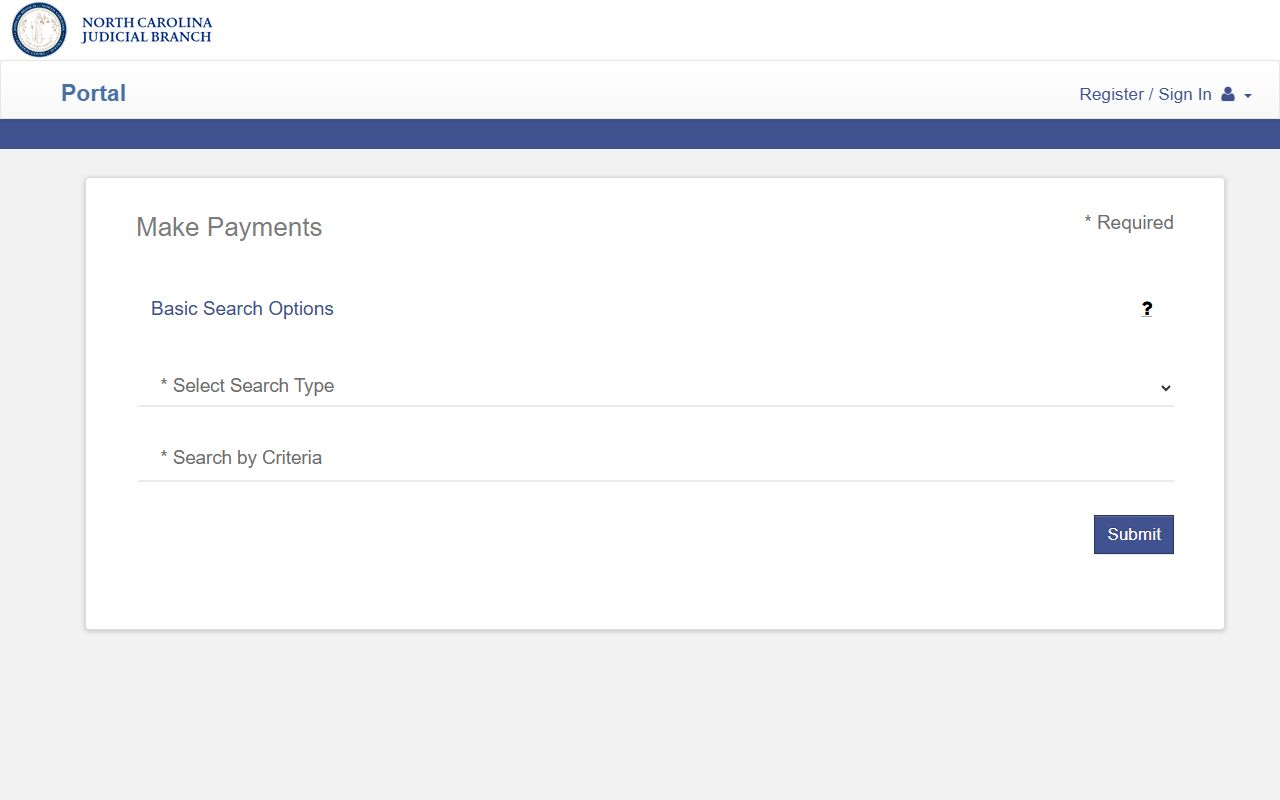
Payment access does not replace docket review, but it can confirm that an eligible criminal or infraction matter has reached a pay-online stage.
Graham County Dockets vs Case Records
A docket is a timeline. A full Graham County court record is the case file behind that timeline. The difference matters when a person needs proof of an outcome, a certified copy, a filed motion, or a judgment. Portal may show case information, while the clerk's office can provide file review and copies for a fee.
In Graham County, that split is especially important for traffic, misdemeanor, felony, domestic, estate, and special proceeding matters. A hearing search may tell a person when and where to appear, but it may not show the filed complaint, citation image, motion, order, judgment, or accounting that sits in the full court file. The Clerk of Superior Court is the local office for viewing paper files, using a public terminal, and asking about copies. Portal and calendar pages should be treated as access channels, not as a substitute for the official file when a certified record is needed.
| Question | Docket | Full Case Record |
|---|---|---|
| Best use | Track dates and case movement. | Review filed documents, orders, and certified outcomes. |
| Access point | Search Hearings, local calendars, and case docket entries. | Portal case information, public terminals, and clerk file review. |
| Common fields | Case number, date, hearing type, party, courtroom, event. | Pleadings, motions, orders, judgments, disposition, sentence, payments. |
| Limit | May not include documents or recent changes. | May require in-person review, copy fees, or access screening. |
Graham County Calendar Channels
The Graham County local administrative schedules page links District Court schedules, civil calendars, criminal calendars, and Portal search. These local calendar files can be useful when a case is part of a grouped session, such as a criminal calendar or a civil term. They also help confirm whether the case should be checked under District Court, Superior Court, or a specific calendar type.
For case-specific issues, use the Graham County court contact directory and call the Clerk of Superior Court. A continuance, missed court date, called-and-failed entry, payment deadline, or new setting can have legal effects. Traffic and criminal matters can also affect DMV reporting or bond status, so docket information should be confirmed before relying on a screenshot or old calendar file.
The clerk fallback chain is simple: search Portal first, check the Graham County Judicial Branch page for local calendar links, use a public terminal or in-person clerk counter for case records, and mail case-specific copy or payment correspondence to the clerk when that channel applies. County-manager public records requests are not the normal path for court dockets.
Calendar checks should also account for local court roles. Superior Court settings can involve felony calendars, civil terms, and appeals from District Court. District Court settings can involve misdemeanors, infractions, traffic, domestic, juvenile, and civil cases under the Superior Court threshold. Magistrate matters may start with small claims, landlord-tenant filings, warrants, or bail decisions before later court entries appear in a broader case file. If a docket search result conflicts with a mailed notice or a clerk communication, the clerk's office is the safer source to confirm the active setting.
Missed dates deserve a separate check. In traffic and criminal matters, a called-and-failed entry can lead to failure-to-appear consequences, payment limits, DMV notice, bond issues, or an order for arrest depending on the case. A docket screenshot may not show every downstream step. Confirm the case number, court date, and current status before assuming that an old calendar entry still controls.
North Carolina announced eCourts expansion to western counties on July 22, 2024, making Portal access a central path for Graham County court dockets.
That expansion explains why Graham County docket users now see statewide Portal tools alongside local calendar pages.
The Guide and File system is also part of North Carolina eCourts, though it prepares filings rather than acting as a docket search.
Prepared filings can later become docket entries once submitted and accepted through the proper court filing path.
Note: A docket result should be checked with the clerk when the appearance date, charge status, or payment deadline matters.